

MAIN TECHNICAL ARTICLE
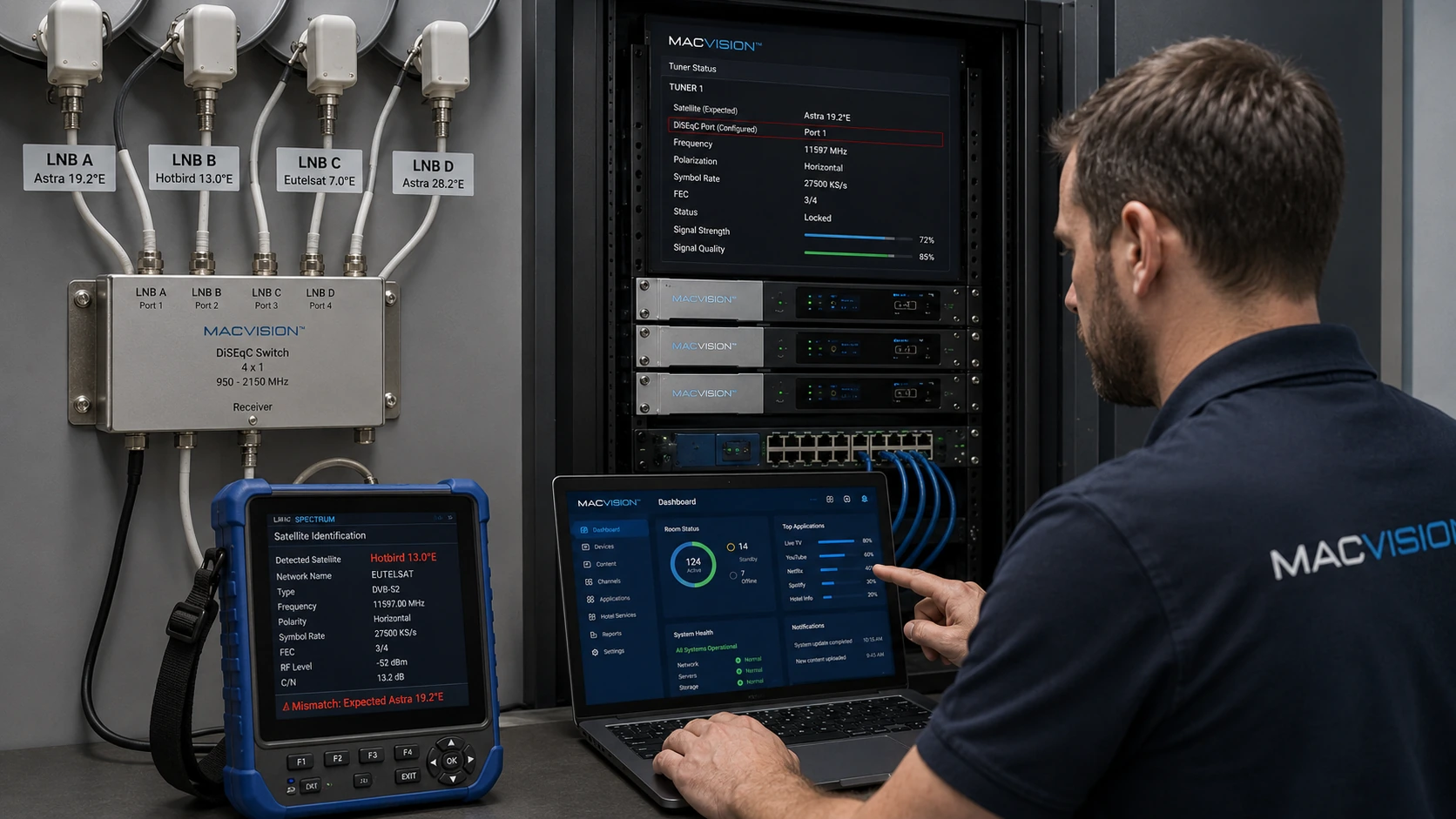
DiSEqC commands select among multiple LNBs, dishes or switch inputs. If port assignments, command version, committed/uncommitted settings or repeat counts are wrong, the tuner may select the wrong satellite or no input at all. The resulting failure can look like bad transponder data because expected channels do not lock while unfamiliar services appear. Correct configuration requires a physical port map and controlled testing of each command path.
Why does an IPTV tuner scan channels from the wrong satellite?
Answer: The configured DiSEqC port may not match the cable connected to the physical switch. Some switches number ports differently, and cascaded systems may require both committed and uncommitted commands. If the command is omitted or unsupported, the switch can remain on its default input. Verify the wiring map and tune a unique reference transponder from each satellite. A successful scan is not enough; the network identity must match the intended orbital position.
How can DiSEqC command failure be separated from dish or LNB failure?
Answer: Connect the suspect satellite feed directly to the tuner. If it locks, the dish and LNB are likely healthy and the fault lies in switch wiring, power or commands. Reinsert the switch and test each port with a known reference transponder. Confirm the tuner supports the required DiSEqC version and that command repeats or delays are configured if needed. Check voltage at the switch because insufficient power can prevent reliable mechanical or electronic selection.
What documentation prevents DiSEqC errors during future channel additions?
Answer: Maintain a diagram showing satellite name, orbital position, LNB type, switch level, physical port and the exact DiSEqC command used by each tuner. Include committed/uncommitted values and any tone-burst or motor settings. Label cables at both ends and save the headend configuration backup. When adding a new channel, test the existing reference transponder on that port before scanning. This avoids changing commands to solve a frequency problem and accidentally disrupting other satellite sources.