

MAIN TECHNICAL ARTICLE
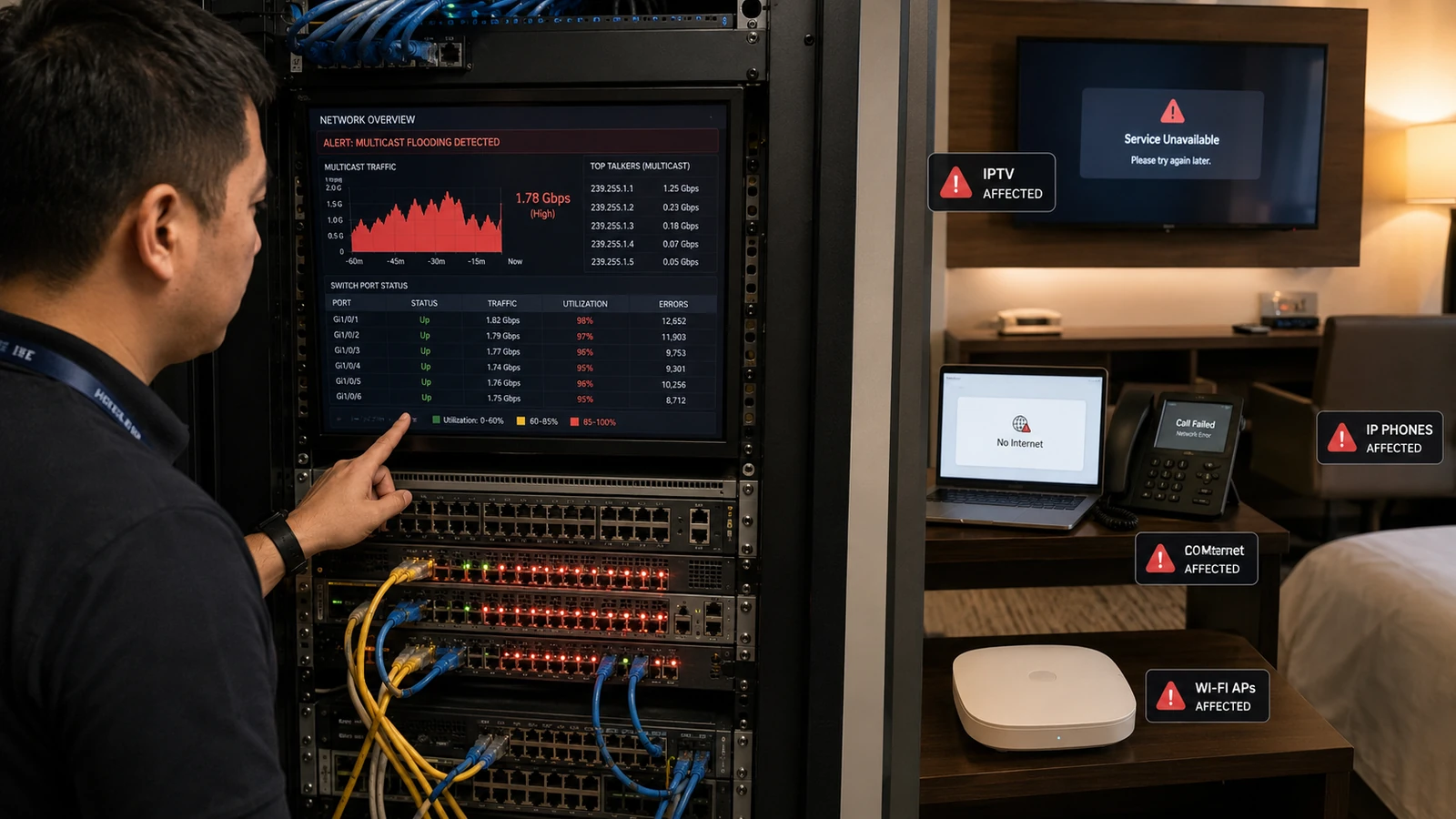
Multicast flooding is not limited to television picture quality. When the full channel lineup reaches every port, it can consume switch bandwidth, overwhelm low-speed interfaces, interfere with PMS terminals, VoIP, access control and Wi-Fi, and cause high CPU load on endpoints. The fault can spread across trunks if VLAN boundaries or multicast controls are wrong. Hotel operations may therefore experience broad network instability at the same time as IPTV complaints.
What network symptoms indicate multicast flooding rather than one bad channel?
Answer: Multiple services degrade together, idle ports show high inbound traffic, access points or printers become slow, and switch CPU or broadcast/multicast counters rise. Disconnecting the headend or blocking the multicast VLAN may immediately restore other systems. Capture traffic on a port that has not joined any channel; receiving the full lineup confirms flooding. Check every switch in the path because one unmanaged or misconfigured device can re-flood traffic downstream.
Why are Wi-Fi networks especially affected by flooded IPTV multicast?
Answer: Wireless multicast is often transmitted at a basic data rate without acknowledgments, consuming disproportionate airtime. An access point receiving dozens of unwanted streams may send them over the radio or spend resources filtering them. Client throughput and reliability collapse even when no one watches IPTV over Wi-Fi. Keep the IPTV VLAN away from wireless trunks unless specifically required, and use multicast-to-unicast conversion only after capacity analysis.
How is multicast flooding contained in a converged hotel network?
Answer: Use dedicated VLANs or carefully controlled shared VLANs, enable IGMP snooping with a working querier, define multicast-router ports and block unnecessary multicast at boundaries. Audit unmanaged switches and access points. Apply rate limits only as a protective measure, not as the main design. After correction, verify group-specific forwarding on access ports and monitor the network while many TVs select different channels.