

MAIN TECHNICAL ARTICLE
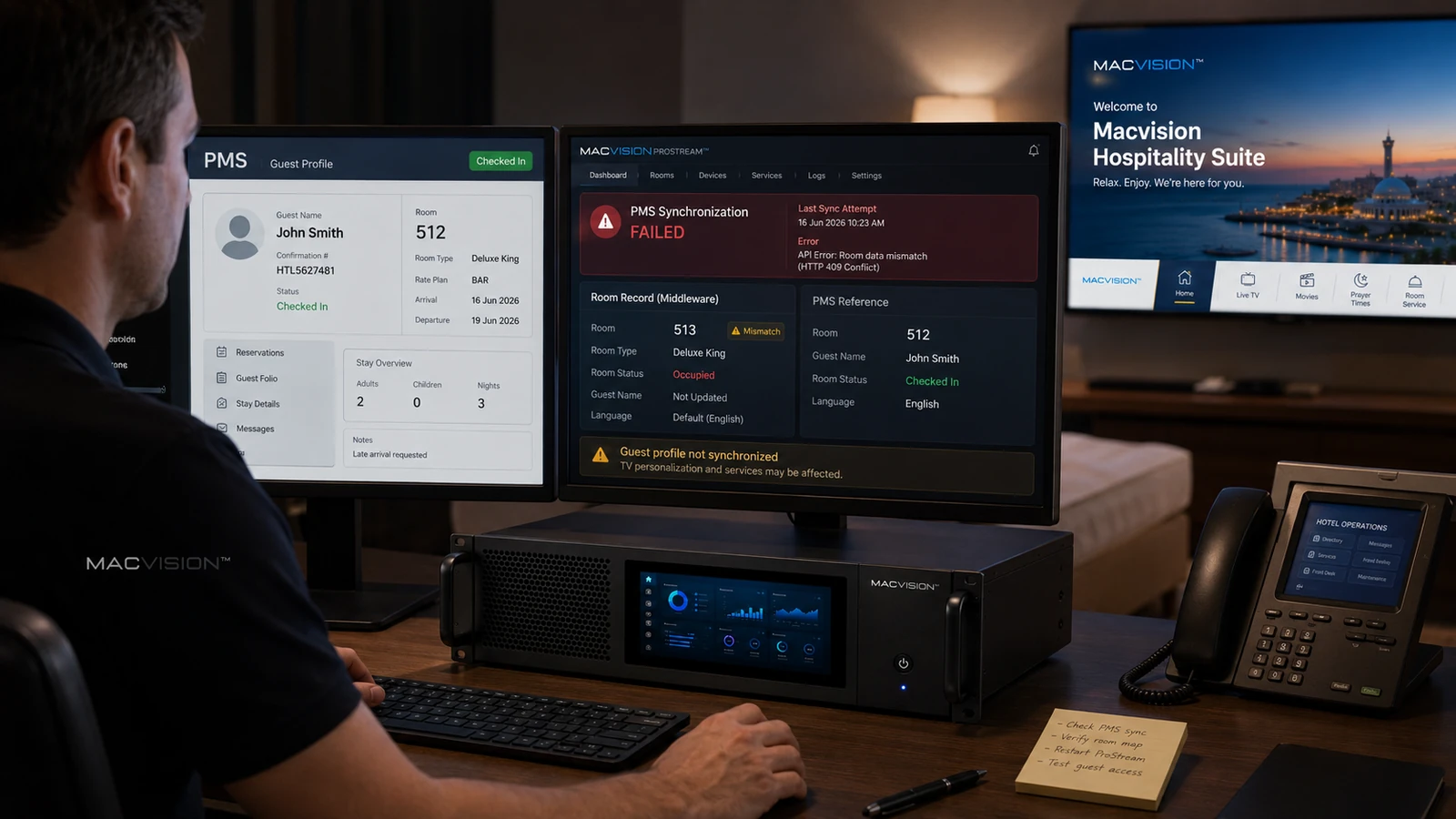
Property-management integration can personalize welcome messages, guest names, language, billing and service access. If room numbers, check-in status or interface messages are mapped incorrectly, the IPTV system may show the wrong guest, fail to unlock services or keep a previous session active after checkout. PMS faults should be isolated from channel transport because the media stream may remain technically healthy.
Why does a checked-in room still show the default IPTV screen?
Answer: The PMS event may not reach middleware, the room identifier formats may differ or the interface queue may contain an error. Compare the PMS room number, middleware room record and device assignment. Review the exact check-in message and response. Manual activation can confirm that the TV and channel authorization work, but the permanent fix must restore reliable event processing rather than relying on front-desk workarounds.
How can wrong guest information appear on another room's television?
Answer: A device may be mapped to the wrong room, duplicate room aliases may exist or an interface message may use an old room association. This is both an operational and privacy issue. Disable personalized display for the affected records, correct the room-device mapping and verify checkout clears cached data. Audit recent replacements or switch-port moves that could have changed device identity.
What tests are required after repairing PMS-to-IPTV integration?
Answer: Run controlled check-in, room move, language change, chargeable-service event and checkout scenarios. Confirm messages appear only in the correct room and that personal data is removed at checkout. Test PMS or middleware restart and queued-message recovery. Reconcile room inventories between systems and monitor rejected messages. Channel playback should also be tested under occupied and vacant policies to verify authorization follows the intended state.